
Command
/ship-epic
sequential epic delivery
Ship every story on an epic onto one branch, then one PR to main.
See it run
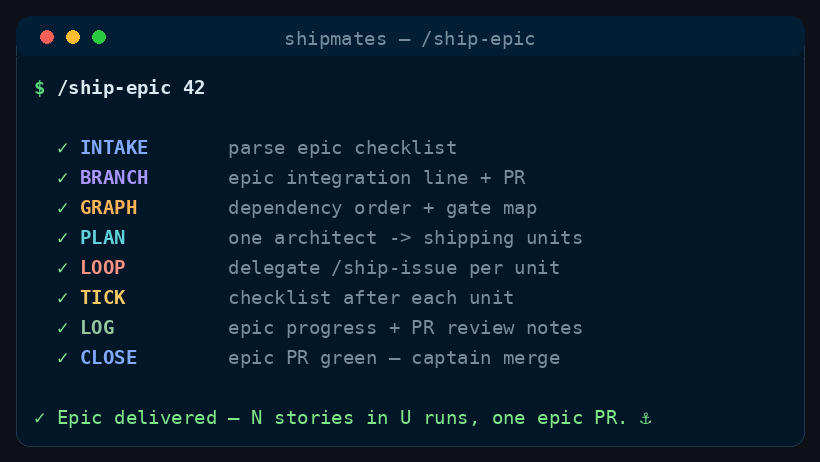
/ship-epic runs, in order.How to run it
Run it in your harness
/ship-epic <epic-issue-number> [resume | dry-run | epic close auto | batch off | unit merge manual | retry-story <n>]<angle brackets> = required · [square brackets] = optional
How it works
One architect pass groups the epic. Each unit is then a full /ship-issue run, so that unit's flags pick its specialists. You merge one epic PR at the end.
Map
The architect reads the epic's stories (sub-issue graph, union the checklist), classifies every story, and groups them into shipping units.
Crew
Integrate
Cut a shared epic branch (empty kickoff commit if tips still match main) and open the epic PR. Unit PRs target that branch, not main.
No specialist — the run cuts the branch and the epic PR.
Loop
Each unit is a /ship-issue: plan, build, CI, review. That unit's flags pick its extra seats.
Also sit when
ux-ui-designeron-screen UI — screens, flows, componentsart-directorrendered art (games, illustration), not app chromedevops-engineerpipeline, images, or how the project shipstechnical-writerdocumented behaviour or a public API/CLI
One PR
When every story is done, you review and merge the single epic PR.
No extra spawn — you merge the epic PR, not the unit PRs.
When to use
- An epic issue already has stories on GitHub (sub-issues and/or a checklist).
- One ticket? /ship-issue. No backlog yet? /plan-epics first.
The skill
The installer ships the full skill — stages, gates, config — from commands/ship-epic.md.